Protect Your Money Online: How to Avoid Scams and Hidden Subscriptions

Protect Your Money Online: How to Avoid Scams and Hidden Subscriptions
Shopping, streaming, and banking online have become part of everyday life in the UK. But while the internet makes things easier, it also gives scammers new ways to trick people out of their money. Every week, people fall victim to fake websites, phishing emails, or hidden subscriptions that quietly drain their accounts. The good news is that with a few simple habits, you can protect both your money and your personal information. Here’s how to stay safe.
Spot the Warning Signs
Most online scams rely on pressure and trust. You’re asked to act quickly, click a link, or share details before you have time to think. Always be alert to these red flags:
- Deals that seem too good to be true – if the price looks unrealistically low, it probably is.
- Unexpected messages – emails or texts claiming to be from your bank, Royal Mail, HMRC, or another official body should be treated with caution.
- Urgent threats or pressure – messages saying your account will be closed or that you owe money are often fake.
- Missing contact details – legitimate businesses provide a physical address, company registration number, and customer service contact.
Pause before you click. Check the sender’s email address carefully, and if in doubt, go directly to the company’s official website instead of following a link.
Avoid Hidden Subscriptions
Many people are caught out by “free trials” or competitions that secretly sign them up for paid subscriptions. These can range from health supplements to streaming services, with the real costs buried in the small print.
To avoid these traps:
- Always read the terms and conditions before entering your card details – even for a “free trial”.
- Use a virtual or temporary card number if your bank offers one, so you can easily cancel it later.
- Check your bank statements regularly – small, repeated charges can indicate a hidden subscription.
- Cancel subscriptions you don’t use. Most services allow you to do this online, but some may require you to contact customer support.
If you notice payments you didn’t authorise, contact your bank immediately to stop further charges.
Use Secure Payment Methods
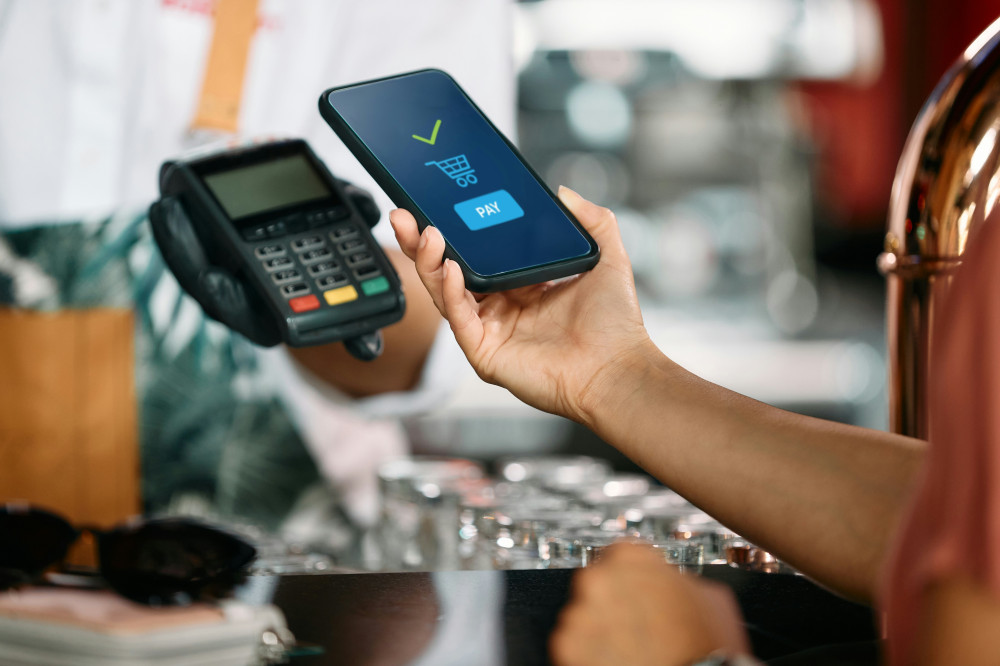
When shopping online, choose payment options that offer protection. Credit cards and services like PayPal provide chargeback rights, meaning you can get your money back if something goes wrong.
Avoid direct bank transfers or cryptocurrency payments to sellers you don’t know – these are almost impossible to recover if you’re scammed. Also, make sure the website address starts with https and shows a padlock icon, which means the connection is encrypted.
Protect Your Personal Information
Scammers often use stolen personal details to open accounts, take out loans, or access your online profiles. To keep your data safe:
- Use strong, unique passwords for every account – a password manager can help.
- Enable two-factor authentication wherever possible.
- Never share personal details such as your National Insurance number, card information, or online banking codes via email or phone.
- Keep your devices updated to close security gaps.
The less information you share, the harder it is for criminals to exploit you.
Læs også:




What to Do If You’ve Been Scammed
Even the most careful person can be caught out. If you think you’ve been scammed:
- Contact your bank immediately to block your card or account.
- Report the scam to Action Fraud (the UK’s national fraud reporting centre) at actionfraud.police.uk.
- Keep all evidence, such as emails, receipts, and screenshots.
- Change your passwords for any accounts that may have been compromised.
Acting quickly can limit the damage and help authorities track down the fraudsters.
Make Online Safety a Habit
Staying safe online isn’t about being paranoid – it’s about being sensible. Just as you lock your front door, you should also “lock” your digital life. With a bit of awareness and care, you can shop, stream, and bank online with confidence, knowing your money and information are protected.
Læs også: